What is HEIC?
HEIC stands for High Efficiency Image Container and has been the default image format on the iPhone since iOS 11. Apple introduced HEIC in 2017, and since then billions of photos worldwide have been stored in this format. Technically, HEIC is based on the HEVC codec (H.265), also known as MPEG-H Part 2. Importantly, HEIC is not a standalone compression algorithm but a container format built on the ISO Base Media File Format (ISOBMFF) – the same container used for MP4 video files. Within this container, the actual image data is compressed using HEVC intra coding.
What sets HEIC apart from simple image formats is the variety of data that fits in a single file: multiple images in one container, EXIF metadata like GPS coordinates and camera settings, Live Photos as a combined image-video pair, depth maps for Portrait mode, thumbnails at various resolutions, and non-destructive editing instructions. This flexibility makes HEIC one of the most capable image containers – but also one of the most complex.
The file extension .heic is the most common variant. The HEIF standard also defines .heifs for image sequences, but in practice iOS consistently uses .heic for single images – you'll rarely encounter .heifs.
Why Does Apple Use HEIC?
The main reason is space savings. A 12-megapixel iPhone photo in HEIC format is typically 40 to 50 percent smaller than the same image as JPG – at visually identical quality. On a 64 GB iPhone with several thousand photos, that adds up to several gigabytes of saved storage. Apple estimates that HEIC saves an average of 40 percent of photo storage per year.
But space savings is not the only reason. HEIC enables features that would be technically impossible with JPG:
- 10-bit color depth and HDR – JPG supports a maximum of 8 bits per channel (about 16.7 million colors). HEIC stores up to 10 bits per channel (over 1 billion colors). Especially with backlighting and HDR captures, details in highlights and shadows are preserved that would be clipped in JPG. During post-processing – exposure corrections, shadow recovery – 10-bit produces significantly less image noise and smoother color gradients.
- Alpha channel support – The HEIF container can store alpha channels and true transparency. However, Apple's standard iPhone camera doesn't produce alpha-channel HEIC files. This is relevant for graphic design and compositing when you create HEIC images with alpha manually.
- Live Photos – image and short video in one HEIC container. When you take a Live Photo on an iPhone, iOS stores both the still image and the 1.5 seconds of video before and after the shutter in a single file.
- Depth information for Portrait mode – the depth data that creates the bokeh effect is stored in the same HEIC container and can be edited afterward.
- Non-destructive editing – iOS stores editing steps as metadata, not as new pixels. The original is always preserved, and you can undo changes at any time.
Apple's decision is strategic: HEIC saves storage space and enables features that JPG cannot offer. For users within the Apple ecosystem, everything works seamlessly – the problem only starts when photos leave the ecosystem.
The Patent Problem
HEVC, and by extension HEIC, is encumbered by a complex web of patents. At least three different patent pools collect licensing fees for using the HEVC codec: MPEG LA (the traditional pool with over 20 licensors), HEVC Advance (a competing pool founded in 2015 with more aggressive terms), and Velos Media (another pool with additional patents). These three pools have partially overlapping patent claims, making licensing extremely complicated.
For end users, this is irrelevant because Apple has paid the licenses. But for software developers, browser vendors, and open-source projects, every HEIC-capable feature potentially means licensing fees of unknown magnitude. The cost structure is opaque: MPEG LA charges per unit, HEVC Advance charges per unit and per content, and Velos Media has not yet published public licensing terms. Anyone implementing an HEVC decoder potentially has to negotiate with all three pools.
The consequence: Chrome and Firefox still do not support HEIC natively. Not for technical reasons – the decoders exist and work. But because the patent landscape is unclear and the costs do not justify the benefit. A browser running on billions of devices cannot negotiate licenses with three patent pools whose claims partially overlap and whose total costs are incalculable.
This is also why the Alliance for Open Media (AOM) was founded: Google, Mozilla, Cisco, Microsoft, and others joined forces to develop AV1 and AVIF as a royalty-free alternative. The success of AVIF shows that the patent problem is the primary reason for the lack of HEIC support outside the Apple ecosystem.
Compatibility – Who Can Read HEIC?
The compatibility situation has improved since 2017 but remains patchy. Here is an overview of which platforms support HEIC – and which do not:
| Platform | HEIC Support | Since When | Limitations |
|---|---|---|---|
| iOS (iOS 11+) | ✅ Full | 2017 | None |
| macOS (High Sierra+) | ✅ Full | 2017 | None |
| Android 9+ | ⚠️ Read-only | 2018 | Not all apps support HEIC |
| Android 8 and older | ❌ No support | – | – |
| Windows 10/11 | ⚠️ With extension | 2018 | HEIF extension from Microsoft Store required |
| Chrome | ❌ No support | – | Patent reasons |
| Firefox | ❌ No support | – | Patent reasons |
| Safari | ✅ OS-level | 2017 | Not recommended for websites (MIME dependency) |
| Photoshop | ✅ From CC 2018 | 2018 | Full read and write support |
| ⚠️ Auto-converts | – | Converts to JPG internally, possible quality loss | |
| ❌ Not accepted | – | Upload only as JPG/PNG |
The gap is obvious: outside the Apple ecosystem, HEIC is a problem. Particularly precarious is the situation on the web – neither Chrome nor Firefox can display HEIC natively. This means you can never use HEIC directly in a website. Every HEIC image must first be converted – to JPG, PNG, or WebP.
With Windows 10 and 11, there is an often-overlooked stumbling block: To open HEIC on Windows, you often need the paid HEVC Video Extension (about 1 euro) from the Microsoft Store – the HEIF Image Extension alone is free but not sufficient, since HEIC is based on the HEVC codec. Without both extensions, Windows shows only an error message. Many users discover this for the first time when they transfer iPhone photos to a Windows PC and cannot open them.
HEIC vs JPG – Our Test Data
To make the difference between HEIC and JPG tangible, we ran our own tests using our HEIC to JPG converter. We took five different photo categories – portrait, landscape, macro, document, and an outdoor scene – and exported identical images as both HEIC and JPG (quality 85). Here are the results:
| Subject | HEIC | JPG Q85 | Savings |
|---|---|---|---|
| Portrait (12 MP, daylight) | 1.4 MB | 2.7 MB | 48% |
| Landscape (12 MP, overcast) | 2.0 MB | 3.8 MB | 47% |
| Macro (12 MP, flower) | 1.9 MB | 3.6 MB | 47% |
| Document (12 MP, white-on-black) | 0.9 MB | 1.6 MB | 44% |
| Outdoor scene (12 MP, backlight) | 2.2 MB | 4.1 MB | 46% |
| Average | 1.7 MB | 3.2 MB | 47% |
The average savings come to 47 percent – at visually identical quality. Notably, documents with large uniform areas (white backgrounds) benefit slightly less from HEVC compression because JPG is already quite efficient with simple subjects. Complex subjects like landscapes and macro shots save nearly 50 percent.
What do these numbers mean in practice? With a typical photo collection of 5,000 images on an iPhone, HEIC saves about 7.5 GB of storage. That is equivalent to the space of 2 to 3 large apps, several hours of 4K video, or roughly 2,500 additional photos. With 20,000 photos – not uncommon for prolific photographers – the savings are already 30 GB.
Another interesting finding: a JPG at quality 90 is already twice as large as a JPG at quality 85 – but visually barely better. HEIC at quality 85 achieves the same visual quality as JPG Q90 at less than half the file size. So if you want maximum JPG quality, you pay a disproportionate price – while HEIC delivers that quality at a more compact file size.
Converting HEIC
If you want to share HEIC files with non-Apple users or use them on a website, you need to convert them. The good news: this is now very easy, without software installation and without cloud uploads.
The direct path: Convert HEIC to JPG – the most universal interchange format. JPG works on every device, in every browser, and in every app. For most use cases, JPG is the best choice.
For special requirements, there are alternatives:
- Convert HEIC to PNG – when you need lossless quality or want to preserve transparency. PNG is larger than JPG but lossless and supports alpha channels.
- Convert HEIC to WebP – when you want to optimize images for the web. WebP offers better compression than JPG at the same quality and is supported by all modern browsers.
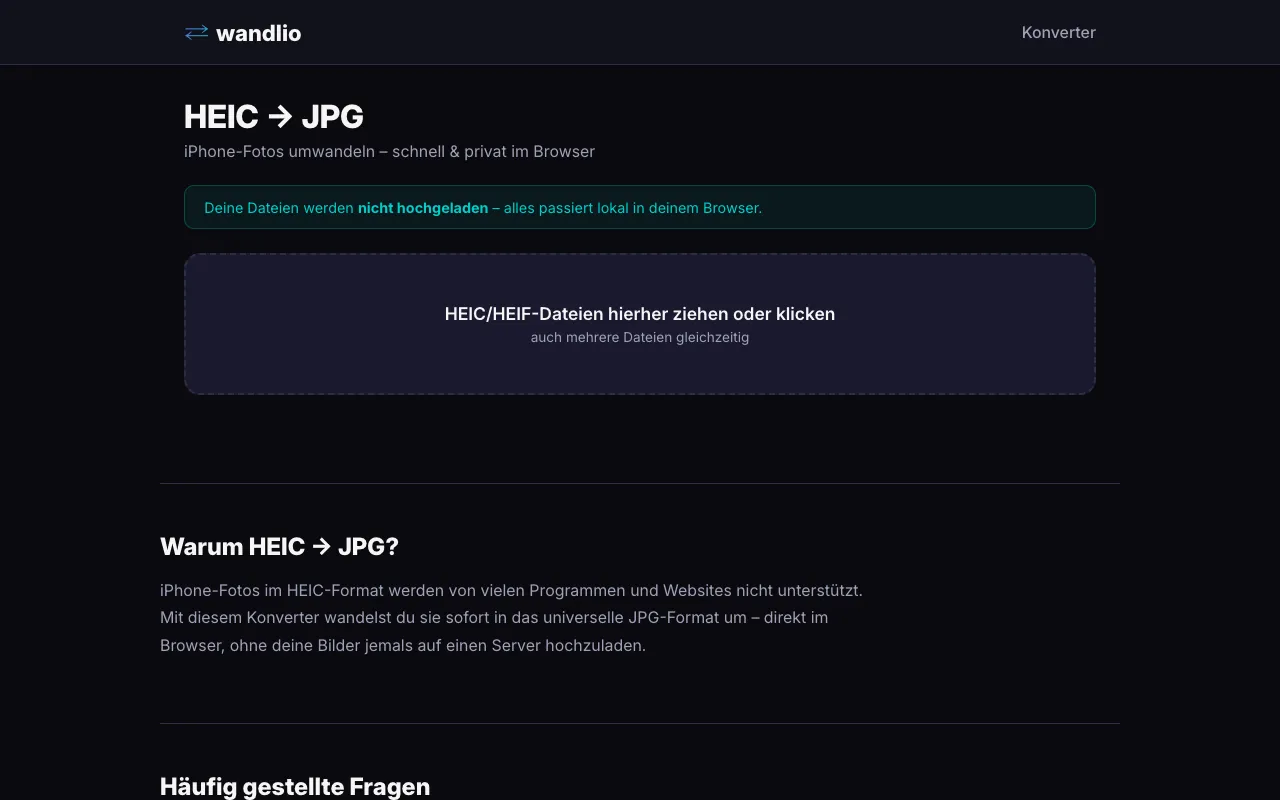
All conversions on wandlio.de run entirely in the browser – your photos are never uploaded to a server. No account, no upload, no waiting. This is not only faster but also more privacy-friendly: your images stay on your device.
An important tip for conversion: keep the HEIC original as an archive and only convert for sharing. Since converting HEIC to JPG theoretically involves a quality loss (10-bit to 8-bit, lossy to lossy), you always have the highest quality as a backup with the HEIC original. In practice, the difference is not visible during normal viewing – it only becomes relevant with extreme post-processing (heavy exposure corrections, shadow recovery of more than 2 EV).
The Future: AVIF as a Royalty-Free Alternative
The patent problem of HEVC has prompted the industry to search for alternatives. The answer is AVIF (AV1 Image File Format) – an image format based on the AV1 codec from the Alliance for Open Media. AV1 was jointly developed by Google, Mozilla, Microsoft, Cisco, Amazon, Netflix, Intel, and others and is royalty-free. No patent pools, no licensing fees, no uncertainty.
AVIF offers similar technical advantages to HEIC: better compression than JPG at the same quality (often 50 to 60 percent savings), 10-bit color depth, HDR support, alpha channels, and animations. The most important difference: AVIF is already supported by Chrome, Firefox, Safari (from macOS Ventura), and Edge. Browser coverage is significantly better than with HEIC.
But AVIF also has drawbacks: encoding is significantly slower than HEIC (AV1 is more computationally intensive than HEVC). Support in image editing software and operating systems is still in its infancy. And social media platforms do not yet widely accept AVIF. AVIF is promising but in 2026 not yet ready to replace HEIC or JPG as a universal format.
Long-term, the direction is clear: royalty-free formats will win. AVIF and the even newer JPEG XL (which is also royalty-free) are the likely successors. But the transition will take years – and until then, JPG remains the universal interchange format and HEIC the preferred format in the Apple ecosystem.
Conclusion
HEIC is technically superior: approximately 50 percent smaller files than JPG at the same quality, 10-bit color depth for HDR, alpha channel support, Live Photos, depth information, and non-destructive editing. Within the Apple ecosystem, HEIC is the logical format – it saves storage space and enables features that JPG cannot offer.
But the patent issue massively limits adoption. Three competing patent pools make HEIC economically unattractive for browsers, open-source projects, and cross-platform software. Chrome and Firefox will likely never support HEIC natively. Anyone sharing photos outside the Apple ecosystem must convert.
The solution is simple: keep HEIC as your archive format and convert for sharing. Convert HEIC to JPG for maximum compatibility, Convert HEIC to PNG for lossless quality, Convert HEIC to WebP for optimal web use. With wandlio.de, this happens right in the browser – fast, free, and privacy-friendly.
And long-term? AVIF as a royalty-free alternative is on the rise and will make the patent problem of HEIC obsolete. Until then, HEIC is the best format for Apple users – and conversion is the best way to share photos with the rest of the world.